If you have spent any time in 3D printing communities, you have seen the upgrade recommended a hundred times. Someone posts a photo of a print with one side slightly higher than the other, or a tall part that leans, and the immediate response is "get a dual Z upgrade." It sounds like a cure-all. We have installed these kits on older Creality machines, and we have also talked plenty of customers out of buying them. The truth is more specific than the forum consensus suggests.
TLDR: A dual Z upgrade genuinely improves part skew and squareness on older single-Z printers like the Ender 3 Pro, but it does not fix Z banding, which usually comes from a bent lead screw, loose coupler, or twisted frame. Older kits without independent stepper drivers require manual tramming that drifts over time. Modern printers ship with belted dual Z or independent steppers, and we recommend belted Z for smoother motion and less reliance on lead screw quality.
Here is what a dual Z-axis actually does, what it does not fix, and how to decide whether your machine needs one.
What a Dual Z-Axis Actually Is
Most budget printers back in 2019 or earlier, including the classic Ender 3 and Ender 3 Pro, use a single stepper motor to drive one lead screw on the Z-axis. The gantry is supported on the other side by a smooth rod and a roller or bearing. This works, but it relies on gravity and the rigidity of the gantry to keep both sides level.
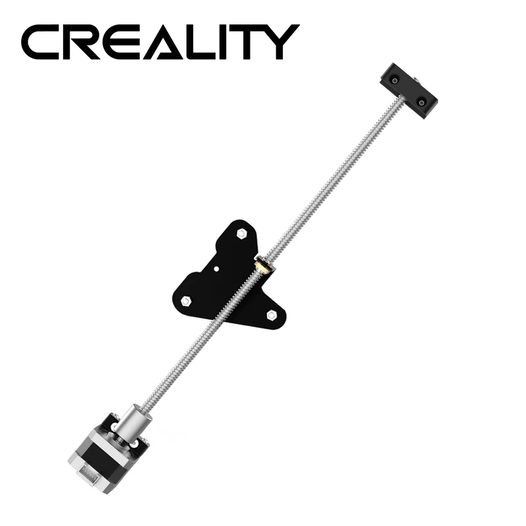
A dual Z-axis upgrade adds a second lead screw on the opposite side, driven either by a second stepper motor or by a belt and pulley system connected to the original motor. The idea is simple: support and drive the gantry from both sides instead of one.
What Dual Z Actually Fixes
On older machines like the Ender 3 Pro, a properly installed dual Z upgrade genuinely improves parts skew and squareness. If you print tall parts, the single-sided drive can allow the unsupported side of the gantry to droop slightly, and that translates into parts that are not perfectly square in the Z direction. Adding a second lead screw constrains the gantry on both sides, and the difference is measurable on large, tall prints.
That said, before you buy a kit, check your eccentric nuts. If they are properly adjusted on a single driven Z lead screw setup, the machine is often more capable than people assume. A lot of perceived Z problems come down to loose or over-tightened rollers, not the single motor itself.
What Dual Z Does Not Fix
This is where most people waste money. Z banding, the repeating horizontal lines that appear at regular intervals up a print, is rarely solved by a dual Z upgrade.
In our experience, Z banding usually traces back to a warped lead screw, a twisted extrusion on the frame, or a coupler that is not seated correctly. Adding a second lead screw does not fix any of those problems. It might even make them worse, because now you have two lead screws that could each introduce their own wobble.
If your prints show inconsistent layer stacking, do not reach for a dual Z kit first. Check the components you already have.
The Installation Trap Nobody Warns You About
The most common mistake we see with dual Z upgrades on older printers is tramming drift.
On newer machines with independent stepper drivers, the printer can use the bed probe to auto-tram the two Z motors, keeping the gantry level automatically. On older printers, there is no extra stepper driver, so you have to tram the gantry manually. You align both sides, tighten everything down, and it works. For a while.
Over time, that alignment drifts. One side moves slightly relative to the other, and your carefully trammed gantry is now off. You have to re-calibrate, and the cycle repeats. A dual Z upgrade without independent stepper drivers is not a set-and-forget solution. It is a maintenance item.
When to Fix the Z Problem Without Dual Z
If you are dealing with Z layer stacking issues, here is the order we recommend checking things before buying any upgrade.
First, inspect the lead screw. Is it bent? Roll it on a flat surface and watch for wobble. A bent lead screw is a common cause of banding, and it is cheaper to replace than to add a second screw.
Second, check the coupler that connects the stepper motor to the lead screw. If it is loose, bent, or not seated properly, it will introduce wobble with every rotation. This is a small, cheap part that gets overlooked constantly.
Third, verify that the Z-axis extrusion is perpendicular to the base and frame. If the frame is twisted, no amount of dual Z hardware will fix the resulting print defects. Use a square and check the assembly.
Fourth, inspect the lead screw nut and the gantry for wear. A worn nut or a gantry that binds in one spot will cause layer inconsistencies regardless of how many motors drive the axis.
Only after you have ruled out all of those should you consider a dual Z upgrade. And even then, it may not be the right fix for your specific problem.
The Modern Landscape: Belted Z and Independent Steppers
Here is the part that changes the conversation. Newer printers almost always ship with dual lead screws already installed. Some use two stepper motors, one for each screw, with independent drivers that allow auto-tramming or will ram the gantry to top to level it out. Others use a single motor driving both screws through a belt and pulley system.
In our experience, the belted Z approach is the better design. It relies less on the precision of the lead screws themselves, which matters because cheaper kits and lower-grade lead screws often have poor tolerances. A belted system also gives you faster Z hops and smoother Z motion overall. If you are buying a new printer today, a belted dual Z system is a genuine advantage worth looking for but these type not much offer these due to more complex and cost compared to stepper and lead screw.
If you are upgrading an older printer, the calculus is different. Adding a second lead screw with a splitter cable gives you the mechanical benefit of dual support, but without independent drivers, you are signing up for manual tramming maintenance. Adding independent stepper drivers is a more involved upgrade, usually requiring a new mainboard, and at that point you are investing serious money into an older machine.
So Do You Really Need It?
If you own an older Ender 3 or similar single-Z printer and you print tall parts that need to be square, and you have already verified that your eccentric nuts, lead screw, coupler, and frame are all in good condition, a dual Z upgrade can genuinely improve your results. Go into it knowing that you will need to tram the gantry periodically.
If you are chasing Z banding, do not buy a dual Z kit. Find the real cause first, whether that is a bent lead screw, a loose coupler, or a twisted frame.
If you are buying a new printer, look for one that already ships with dual Z, ideally a belted system or independent steppers with auto-tramming. You get the benefit without the maintenance headache.
The dual Z upgrade is a real improvement for a specific problem. It is not a universal fix, and treating it as one is how people end up spending money without solving the print defects that prompted the purchase in the first place.