For hobbyists, an EMU build unlocks multi-colour with minimal ongoing cost; if you need support materials without purge waste, go dual-toolhead, but for print farms and reliable production, a single well-tuned nozzle still wins.
Most parts we print are functional. Brackets, mounts, adapters, Voron components. For these, a single well-tuned nozzle does the job perfectly. We don’t need a rainbow of colours, and we don’t need to swap materials mid-print. Where we do reach for a second toolhead is when geometry forces us into support material.
Some prints simply weren’t designed with FDM in mind. Organic shapes, complex internal channels, overhangs that would scar a single-material print. If there’s no time to redesign the part to print support-free, a second toolhead loaded with a breakaway or soluble support material is the difference between a viable part and a scrapped afternoon. That’s the number one use case for multiple toolheads in a production setting: material support, not colour.
For custom logos on short production runs, think one or two branded parts for a client we’ll sometimes use a dual-toolhead setup. But beyond a couple of units, it’s almost always more efficient to split the part into separate prints and assemble them. Print the logo insert at 0.25mm with a fine nozzle for maximum detail, print the main body fast and chunky at 0.5mm, then press-fit or solvent-weld them together. The visual quality is better, and you’re not tying up a complex multi-material machine for something a simpler printer can do faster.
The Hobbyist Experience: Few Regrets, Lots of Tinkering
We talk to a lot of customers building their own multi-filament setups. The trend is unmistakable: in 2026, if you want multi-colour printing straight out of the box, you buy a Snapmake U1. If you want a project a machine you can understand and modify, you go DIY.
The DIY ecosystem has never been richer. EMU (https://github.com/DW-Tas/EMU) has emerged as an elegant, expandable alternative to older systems like ERCF and Tradrack. Paired with AFC software stack, these setups handle filament management, automatic spool rollover, and multi-material printing with a maturity that simply didn’t exist a few years ago. There’s still setup time, every machine needs its own calibration, and variables like tube length and extruder tension differ but the software has smoothed the roughest edges.
Do people regret it? Almost never. The people who take on these projects are building a printer as much as they’re building parts. The system becomes part of the hobby. They might not use multi-material every week, but the automatic spool rollover and the ability to leave twelve filaments loaded and ready are genuine quality-of-life upgrades that pay off every time you start a print from another room.
Personally, I find independent toolheads more useful than a filament switcher when the goal is material experimentation. Being able to load a rigid PLA and a flexible TPU, or a standard PETG and a support-specific filament, and print them in the same job without purging and waste, opens possibilities that a single-nozzle switcher can’t replicate without huge wipe towers.
The Hidden Cost of Multiple Toolheads
The upfront price of a tool changer or IDEX is obvious. What’s less obvious is the build volume you might lose. Most DIY multi-toolhead systemslike StealthChanger for Voron, MadMax, older IDEX conversions can shift the gantry geometry enough to shave off usable build area. You’re not just bolting on a second hotend; you’re re-engineering the motion system. For some, losing 20mm of Z travel is nothing. For others, it’s a dealbreaker.
Alignment drift is the other silent headache. Independent toolheads need to hit exactly the same point in space, every time, or you get layer shifting between materials. Even well-built systems need periodic recalibration. It’s not a dealbreaker, but it’s maintenance that a single-nozzle printer simply doesn’t need. Automatic scripts has gotten alot better with vision based, so you don't need to clean the nozzle perfectly to get best aliment from physical probe.
On the filament-switching side, the hidden burden used to be buffer management, tangled spools, filament tangles, retraction tuning. EMU and similar systems have largely solved this with smarter firmware and mechanical design, but the calibration per machine still demands patience. No two printers behave exactly alike, and a value that works on a Voron 2.4 might need tweaking on a Trident.
AMS, EMU, or Tool Changer: Where’s the Line?
A customer recently asked us: “Should I build an EMU or go all-in on a tool changer, or older ERCF?” The answer depends on what you’re printing.
If you’re a maker who wants expandable multi-colour and spool management on an existing Klipper printer, EMU is the best choice in the open-source space right now. It’s not limited to four filaments like the AMS without daisy-chaining extra electronics, and it integrates natively with the tools you’re already using, or if you just want filament roll over you can opt for 2 spools. It’s a project, yes, but a well-documented one with an active community.
The tipping point toward a true independent toolhead is when your materials can’t coexist through one nozzle. If you need a support material that prints at a different temperature, or you want to combine flexible and rigid filaments in the same layer without purging, a filament switcher becomes the wrong tool. At that point, you’re looking at a StealthChanger, a MadMax, or whatever the Voron community has refined this month. The purge waste alone on a 1000-tool-change multi-colour print can exceed the weight of the part; a dual-toolhead system eliminates that entirely.
What We’re Still Waiting For
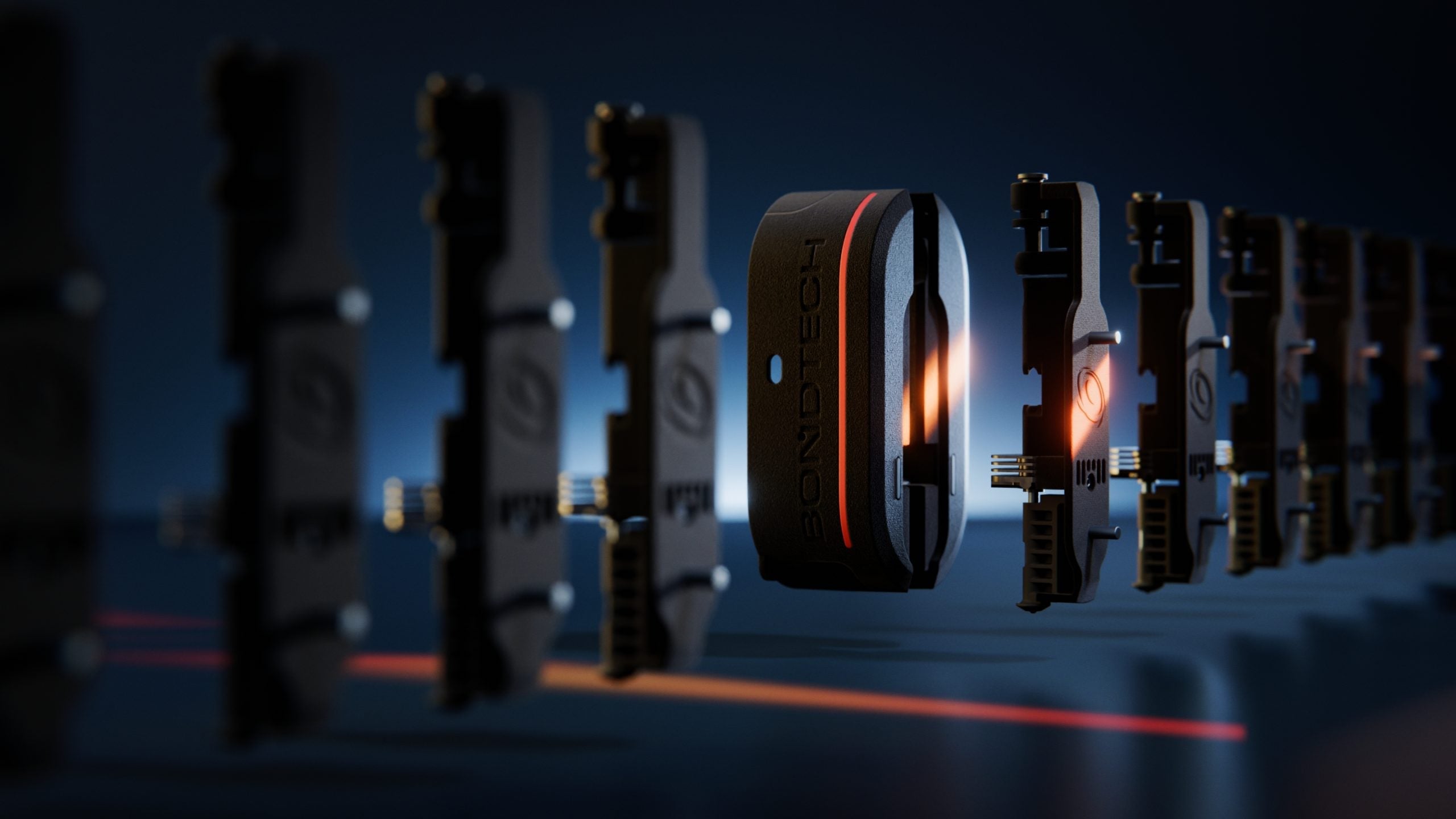
In mid-2026, the toolhead landscape is tantalisingly close to a leap forward. We’re watching the development of Indx for retail release, a system that promises to make tool-changing more modular and commercially viable. Paired with something like EMU on the filament management side, you’d have the best of both worlds: independent toolheads fed by smart filament switchers, with near-zero waste and unlimited material combinations.
For our print farm, though, the calculation is different. Time spent building and tuning a DIY system is time not spent printing. We will almost certainly stick with off-the-shelf solutions for production reliability, and we suspect most small businesses will do the same. The dream is an Indx-class tool changer that ships pre-built, backed by a manufacturer’s warranty, and plugs into a Klipper ecosystem without a week of tinkering hopefully, there is always Prusa with Core One or L. That’s the product that will finally put a multi-toolhead setup in every serious farm.
The Honest Recommendation
If you’re a hobbyist who loves the build, build. EMU on an open-source machine will teach you more about your printer than a year of single-material PLA. You’ll end up with a system that handles colour, auto-refills, and multi-material with minimal ongoing cost. You can always use older hardware, if you have couple older EBB board laying around in your spare bin.
If you need to print parts that require support material or mixed-material properties, and you’re unwilling to babysit purge blocks, invest in a dual-toolhead setup. It’s the most practical upgrade for complex functional printing.
If you run a business or just want to print without ceremony, stick with a single well-tuned nozzle and a quick-swap system. A 0.5mm diamond or TC nozzle, a well-dialled profile, and a drawer of spare hotends will keep you printing profitably while the tinkerers are still calibrating their buffers.
The right answer isn’t on a comparison chart. It’s in how much time you want to spend on the machine versus how much time you want it to spend making things for you.
Cover Image Source: https://www.bondtech.se/home/tech/induction-dynamic-extruder-automatic-tool-changer/