The Creality K1 prints fast out of the box, but its stock hotend is a lottery. Some units run for hundreds of hours without a hitch. Others clog, leak, or crack a ceramic heater within weeks. At DREMC, we’ve sold and supported every major K1 hotend upgrade on the market, and we’ve run two of them in our own machines long enough to know which one stays on the printer and which one lives in the spare parts bin.
Here’s the upgrade guide that doesn’t just list options, it tells you what we chose, what our customers actually break, and how to navigate the K1’s three different hotend versions without ordering the wrong part.
If you don't want brother reading whole post:
TDLR: We chose the TriangleLab CHCB for its MK8 nozzle freedom and repairability, but Micro Swiss Flowtech offers effortless cold-swaps and the Creality Unicorn is the cheapest all-metal fix, just remember that heat creep is usually solved by opening the enclosure, not by swapping the hotend.
What We Run: CHCB with MK8 Nozzles (and Why Micro Swiss Is in the Spare Bin)
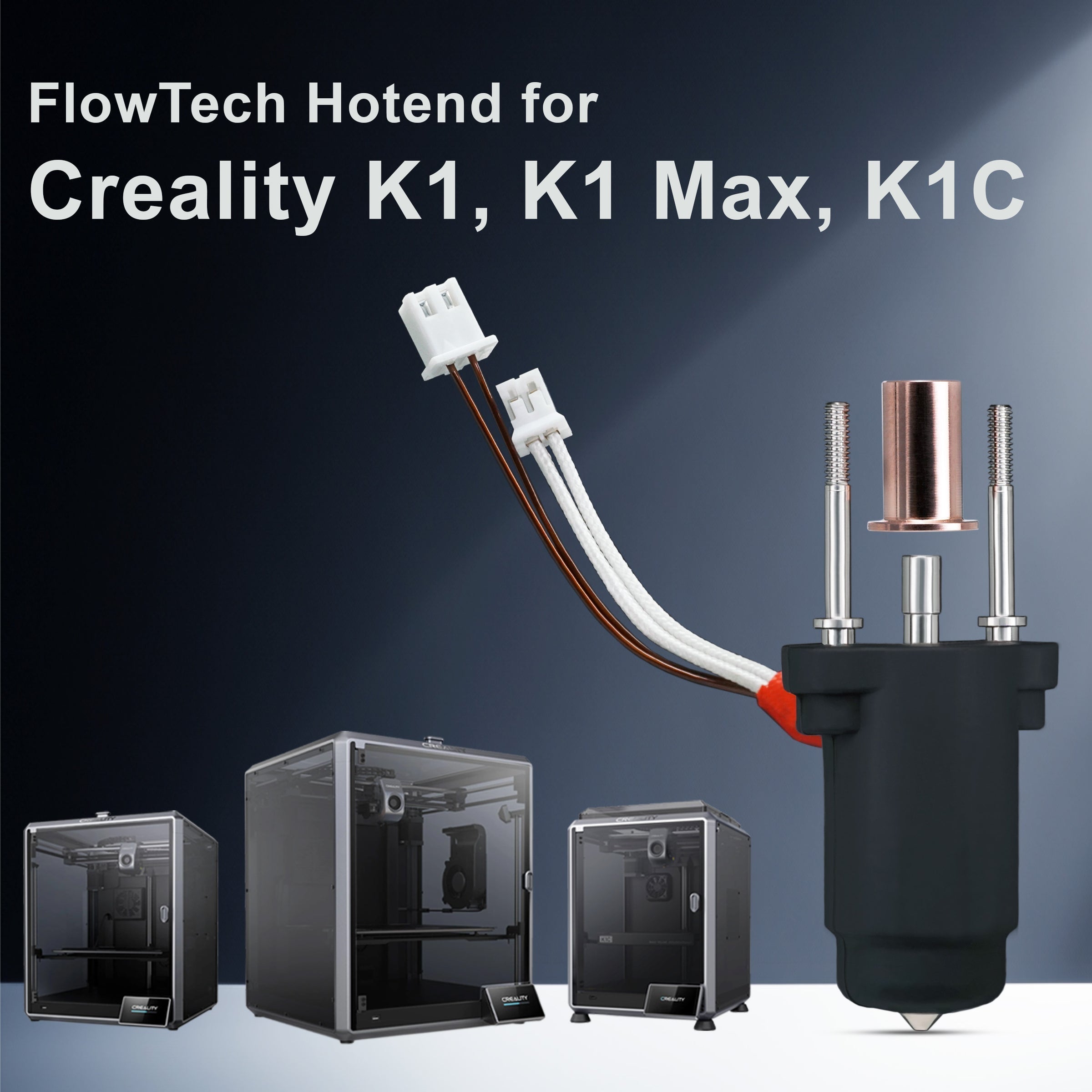
We’ve personally clocked around 500 hours on a Micro Swiss FlowTech hotend for the K1. It worked. No failures, no clogs, no drama. The nozzle swaps are genuinely effortless and no hot tightening, no heated wrench wrestling. Unscrew it cold, thread in a new one, and print. That’s a genuine quality-of-life upgrade over the stock K1.
But it’s now sitting in our spare bin, not in the printer. The reason is simple: nozzle choice.
We run 0.5mm nozzles across our entire fleet. The Micro Swiss FlowTech uses a proprietary nozzle standard, and Micro Swiss only offers a limited range of sizes. We needed 0.5mm hardened options without waiting for a special run or paying a premium. The TriangleLab CHCB hotend, which we switched to and have never looked back from, uses the ancient and ubiquitous MK8 nozzle standard. That opens the door to a vast aftermarket of nozzle sizes, materials, and coatings. If we want a 0.5mm tungsten carbide MK8 nozzle, we have a dozen sources. That flexibility matters more to us than cold-swap convenience.
The CHCB also has another trick: on a rooted K1 running full Klipper, you can swap in a PT1000 thermistor for higher-temperature accuracy. Every component like heater cartridge, thermistor is individually replaceable. When a wire fatigues or cracked heater, you replace a $10 part, not an entire hotend assembly. That’s the sort of long-term maintainability we bet on.
The trade-off? Hot tightening. The CHCB requires you to torque the nozzle against the heat break at temperature, which is a more involved process than the cold-swap FlowTech or the newer Unicorn-style Creality assemblies. If you’re not comfortable with that, we’ll point you elsewhere. If you are, the CHCB rewards you with nozzle freedom and component-level repairability.
The Customer Failure We See Most (and Why the Hotend Usually Isn’t the Fix)
Customers walk in with three complaints: heat creep clogs, a cracked ceramic heater, or a catastrophic filament blob that swallowed the hotend whole. The last two are hotend failures. The first one usually isn’t.
Heat creep on the K1 is almost never solved by swapping the hotend. The Creality K1 runs a high-flow melt zone, but the cold-side cooling the heat sink and fan is the limiting factor. If you’re printing PLA and getting mid-print jams that clear once the filament cools, the fix is environmental: open the enclosure door, remove the top lid, drop the bed temperature to 40–45°C, and use a low-temperature build surface like satin PEI or a dedicated cold plate. We’ve seen customers chase their tails through three different hotend upgrades only to realise the chamber was simply cooking their PLA past its softening point before it ever reached the nozzle. An after market hotend won’t fix a heat-soaked enclosure. Save the money and print with the door open.
For cracked ceramic heaters and blobs, an upgrade makes sense. The stock ceramic heater on early K1 units is brittle. If you over tighten the mounting screws or crash the nozzle into the bed, it cracks. A replacement hotend with a more robust heater design or one that isolates the ceramic from mechanical stress solves that permanently like Micro Swiss which encased within heater block assembly .
The Installation Step Everyone Gets Wrong (and the Three K1 Versions You Must Check)
The K1 does not have a single hotend standard. It has at least three, and ordering the wrong one means a return. The versions we encounter daily:
-
Original two-part hotend: Separate heat break and heater block, PTFE-lined, prone to leaks.
-
Unicorn (one-piece nozzle and heat break): Creality’s revised design, all-metal, with a long nozzle that doubles as the heat break. The connector on the toolhead PCB may be the original or an updated version.
-
Unicorn with updated PCB connector: Same Unicorn hotend, but the wiring plug on the toolhead board is different. Physically incompatible with older connectors.
The Micro Swiss FlowTech upgrade kit sidesteps this entirely because its kit covers all three versions. If you don’t want to open your toolhead to check a tiny connector, Micro Swiss is the safest, easiest recommendation.
For the CHCB, you must identify which K1 hotend version you currently have. There’s no universal CHCB that fits all three without the correct mounting hardware. We help customers check their connector type and hotend variant before they buy, but it’s an extra step.
The second major installation pitfall is hot tightening on the CHCB. You must heat the hotend to printing temperature, hold the heater block steady with a spanner (not the ceramic body), and torque the nozzle to the manufacturer’s spec. The ceramic body on the CHCB will crack if you let the spanner slip and put pressure on it. We’ve seen it happen. The Micro Swiss FlowTech and Creality’s Unicorn design both eliminate hot tightening, which is a real advantage for anyone who dreads this step. If you want cold-swap nozzle changes, those two are your options.
The Best Value Path (and When to Replace the Whole Assembly)
If your K1 has the older two-part stock hotend and it’s still functioning, replace the entire assembly with a newer Creality Unicorn hotend. It’s the cheapest meaningful upgrade that gets you all-metal performance and a better nozzle design without touching a wrench at temperature.
If you’ve already got a Unicorn and you’re just chasing higher flow or better nozzle options, the decision tree forks:
-
Cold-swap convenience, no tuning fuss: Micro Swiss FlowTech. You give up nozzle variety but gain a drop-in kit that works across all K1 versions and makes nozzle changes trivial.
-
Nozzle freedom, repairability, and future-proofing: TriangleLab CHCB. You’ll hot-tighten your nozzles, but you can run any MK8 nozzle on the market, swap the thermistor to a PT1000, and replace the heater cartridge when it dies without scrapping the hotend.
For anyone who prints abrasives, wants a 0.5mm or 0.6mm nozzle, or plans to keep the printer for years, the CHCB’s long-term flexibility wins. We stock MK8 nozzles in hardened steel and tungsten carbide, and they’re cheap and plentiful. That’s the ecosystem we want to be in.
What We Wish Creality Would Do
The K1 series K1, K1 Max, K1C has fragmented across three hotend versions and multiple PCB connectors. Creality’s internal structure, with different teams working on different printer series, means incremental improvements are constant, but backwards compatibility is rare. A fix for one model creates a new incompatible part for the next.
From a spare parts dealer’s perspective, this is a quiet nightmare. We stock multiple variants of what is fundamentally the same component. Our wish is boring but urgent: pick a hotend mount and nozzle standard, and commit to it across generations. Open the nozzle spec so the after market can supply hardened, high-flow, and unusual sizes without forcing customers into a single brand’s ecosystem.
Until that day comes, we’ll keep stocking the upgrades that give K1 owners the most options, the longest life, and the fewest reasons to call us in frustration. Right now, that means CHCB for us, Micro Swiss for the cold-swap crowd, and a Unicorn assembly for anyone who just wants the printer to work without a research project.